

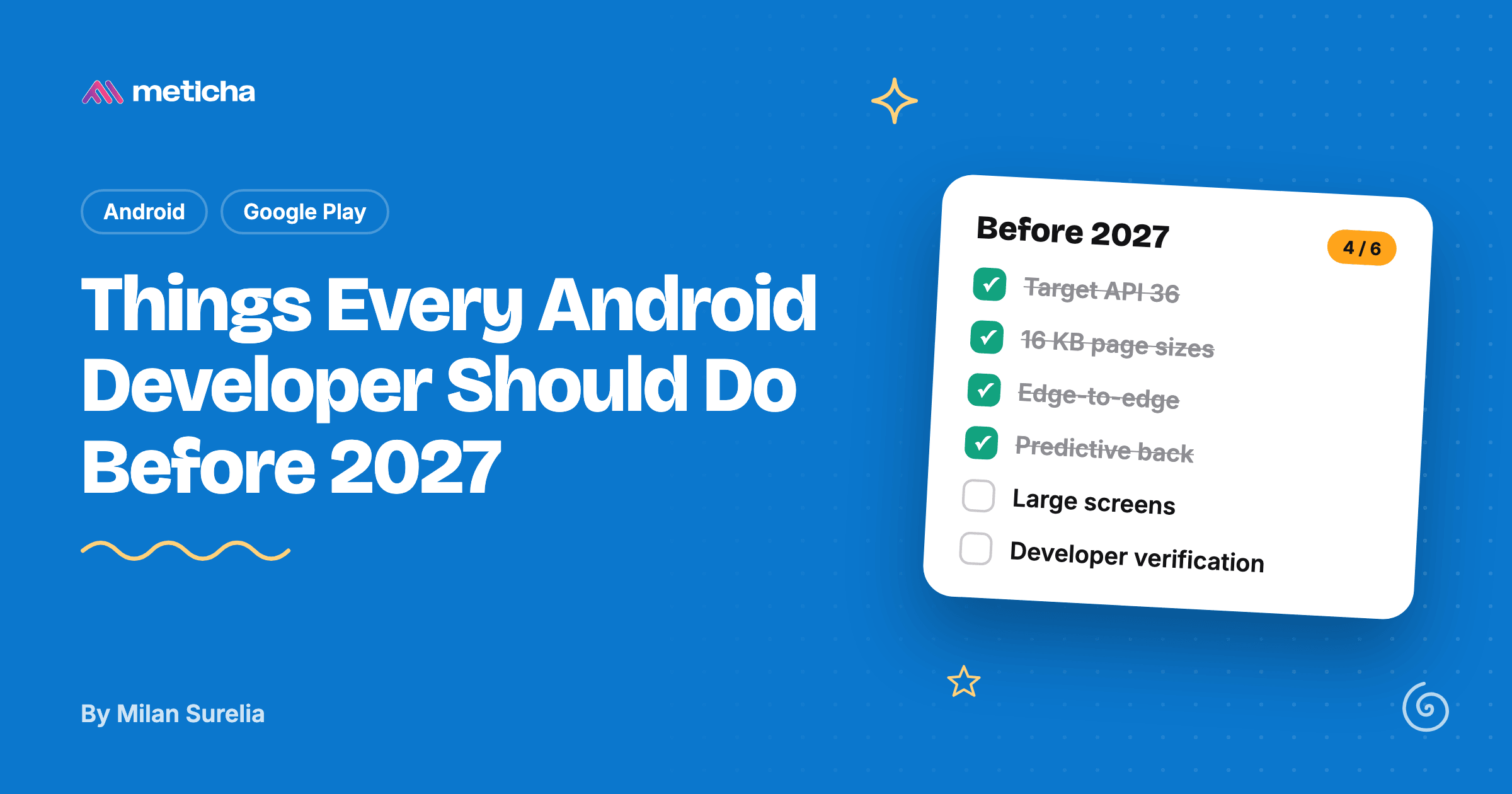
If you ship an Android app, four dates matter most right now: November 1, 2026 (the last extension for targeting Android 16), February 1, 2027 (updates without 16 KB page size support are blocked), 2027 (developer verification goes global) and August 31, 2027 (Play Billing Library 8 is required). All four come from Google's own documentation, linked at the end of this post.
Below is what each one means, how to check whether your app is ready, and the Android 17 changes worth starting on now so next year's target API bump is a small job instead of a fire drill.
1. Target Android 16 (API 36) if you haven't yet
Since August 31, 2026, new apps and app updates on Google Play must target Android 16 (API level 36) or higher. Wear OS and Android Automotive OS apps need API 35, and Android TV and Android XR apps need API 34.
If you asked for more time, the extension runs to November 1, 2026. After that, you can't publish an update until you target API 36, which is a bad position to be in when you need to ship a crash fix.
Targeting API 36 turns on three behaviours that catch most apps out. The next three sections cover them.
2. Go fully edge-to-edge
For apps targeting Android 16, the windowOptOutEdgeToEdgeEnforcement attribute is deprecated and disabled. Your app draws behind the status and navigation bars whether you planned for it or not, so content that used to sit below the status bar can now end up underneath it.
In Compose, call enableEdgeToEdge() before setContent, then let Scaffold or the window inset modifiers handle the padding:
class MainActivity : ComponentActivity() {
    override fun onCreate(savedInstanceState: Bundle?) {
        enableEdgeToEdge()
        super.onCreate(savedInstanceState)
        setContent {
            Scaffold { innerPadding ->
                HomeScreen(Modifier.padding(innerPadding))
            }
        }
    }
}
For screens without a Scaffold, Modifier.safeDrawingPadding() keeps content clear of the bars and the display cutout. Check every screen with the keyboard open, in landscape, and with 3-button navigation, where the bottom bar is tallest.
3. Move to predictive back
For apps targeting Android 16 on Android 16 devices, predictive back animations are on by default, onBackPressed() is no longer called, and KEYCODE_BACK is no longer dispatched. If your app overrides onBackPressed() to close a drawer or confirm leaving a form, that code silently stops running.
Replace it with the back callback APIs. In Compose:
BackHandler(enabled = drawerState.isOpen) {
    scope.launch { drawerState.close() }
}
In Views, register an OnBackPressedCallback with onBackPressedDispatcher. Google offers a temporary opt-out (android:enableOnBackInvokedCallback="false" in the manifest), but treat it as a stopgap, not a fix.
4. Make your layouts work on large screens
For apps targeting Android 16, the system ignores orientation, resizability and aspect ratio restrictions on displays with a smallest width of 600dp or more, so tablets and unfolded foldables. A portrait-locked app now fills the whole screen in landscape. Games are exempt, based on android:appCategory.
Android 16 lets you opt out temporarily with the android.window.PROPERTY_COMPAT_ALLOW_RESTRICTED_RESIZABILITY property. That opt-out disappears when you target Android 17 (API 37), so use the time it buys you to fix layouts rather than to postpone the work.
The quickest test: run your app on a tablet or foldable emulator and rotate it. Lists that stretch edge to edge and forms with huge empty margins are the usual problems. Window size classes let you switch to a two-pane layout above a set width.
5. Support 16 KB memory page sizes by February 1, 2027
Apps targeting Android 15 (API 35) or higher must support 16 KB memory page sizes on 64-bit devices. Starting February 1, 2027, Google Play won't let you release updates that don't.
If your app and every library and SDK in it are pure Java or Kotlin, you're already compatible. The risk is native code, often code you didn't write yourself, bundled inside an SDK for ads, analytics, image processing or a game engine.
To check:
- In Android Studio, open Build › Analyze APK, and look for
.sofiles in thelibfolder. No.sofiles means no work. - If there are some, build with Android Gradle Plugin 8.5.1 or newer, which aligns uncompressed native libraries to 16 KB in the package.
- Compile your own native code with NDK r28 or newer, which aligns to 16 KB by default. On NDK r27 or older, add the
-Wl,-z,max-page-size=16384and-Wl,-z,common-page-size=16384linker flags. - For third-party
.sofiles, update to a release whose changelog mentions 16 KB support. If there isn't one yet, ask the vendor now; February comes round quickly. - Confirm the bundle with
bundletool dump config --bundle=app.aab | grep alignment. It should reportPAGE_ALIGNMENT_16K.
6. Check your developer verification status
Google is rolling out Android developer verification: certified Android devices will check that an app comes from a registered developer before installing it. Protections started on September 30, 2026 for apps from participating stores in Brazil, Indonesia, Singapore and Thailand, and Google says verification will expand globally in 2027.
For most Play developers this is close to automatic. Google says Play registers about 99% of apps itself. What to do now:
- Open Play Console and confirm every app you publish is registered, including any you also distribute outside Play.
- If you ship only outside Play (your website, F-Droid, another store), register through the Android Developer Console.
- Students and hobbyists can use a limited distribution account, which allows sharing an app with up to 20 devices without a government-issued ID or a fee.
7. Upgrade to Play Billing Library 8
Google's Billing Library deprecation table lists August 31, 2026 for version 7 and August 31, 2027 for version 8, each with an extension to November 1 of the same year. The reminder banner on that same page asks for version 8 by August 31, 2026, so the safe reading is: move to version 8 now and stop worrying about which date applies.
If your app sells anything through Google Play, read the migration notes for each major version between yours and 8. Billing code is hard to test in production, so leave time for it.
8. Start preparing for Android 17 (API 37)
Android 17 reached Pixel devices on June 16, 2026. Google hasn't announced when Play will require API 37, but recent target API requirements have arrived each August, so plan for 2027. These changes apply once you target API 37:
- Large-screen opt-out removed. The temporary opt-out from section 4 stops working.
- SMS one-time codes are delayed. For most apps, SMS messages containing a one-time password don't become available until three hours after they arrive. If you read OTPs from the SMS inbox, switch to the SMS Retriever API or the SMS User Consent API.
- Local network access needs a permission. Talking to devices on the local network (printers, smart home devices, casting) requires the new
ACCESS_LOCAL_NETWORKruntime permission. static finalfields can't be changed. Changing one through reflection throwsIllegalAccessException. Some older libraries do this, so test your dependencies.- New
MessageQueueimplementation. It's lock-free, and code that reflects onMessageQueueprivate fields may break. - Certificate Transparency is on by default. If your app connects to servers with unusual certificate setups, such as internal or staging servers, test those connections.
- Background audio needs a foreground service. Apps that interact with audio while in the background must have a foreground service running.
You can test all of these today: set targetSdk = 37 on a branch, run your test suite, and click through the app on an Android 17 emulator.
The checklist
- Target API 36 (deadline passed August 31, 2026; extensions end November 1, 2026)
- Every screen works edge-to-edge
onBackPressed()replaced with back callbacks orBackHandler- Layouts tested on a tablet or foldable, in both orientations
- No unaligned
.sofiles; bundle reports 16 KB alignment (before February 1, 2027) - Every app registered for developer verification in Play Console
- Play Billing Library 8
- App built and tested with
targetSdk = 37on a branch
Most of these are an afternoon each. The two that take longer are large-screen layouts and third-party native libraries, because you can't fix someone else's SDK yourself. Start with those.
If you're starting a new app, Compose101 is our Jetpack Compose starter kit, with edge-to-edge and modern back handling already set up.
Sources
All dates and behaviour changes were checked against Google's documentation on October 29, 2026. Deadlines can move, so check the source before you plan around a date.